Development
Screenplay editor · Beats & story · Characters · Storyboard
Industry formatting, revision colours from White through Salmon, and a corkboard that stays tied to the pages.
 Corkboard Studio
Corkboard Studio — the connected filmmaking workspace
From first beat to final delivery.
Your screenplay becomes the breakdown, the strips, the schedule, the call sheet and every department’s plan — including catering, travel and the make-up chair. Nothing gets retyped.
Your work stays with you when your plan changes.
One project. Screenplay to release.
Built for crews. Shared production truth.
Made for the work. Web, tablet, and mobile.
The workspace
Each tool reads the same script and the same schedule. Change a scene once and the breakdown, the strips, the call sheet and the departments all know.
Screenplay editor · Beats & story · Characters · Storyboard
Industry formatting, revision colours from White through Salmon, and a corkboard that stays tied to the pages.
Reports · Stripboard · Schedule · Day Out of Days · Call sheets · Shot lists
Tag the script once. The strips, the DOOD and every call sheet follow from it.
Contacts · Locations · Props · Wardrobe · Art · Craft Services · Hair & Make-Up · Gear House
Continuity · Safety · Media · Cinematography · AudioForge · Production reports
Budget · Funding
Budgeting is in the workspace, not a spreadsheet beside it.
Series Room · Documentary · Ad treatment · Podcast · Music video · Festival
Rundown Studio · GraphicFire · Graphic Store
Build the show, prepare the graphics, run the room.
Fountain · PDF · FCPXML · EDL · CSV · ICS · .cbsproj
Vector-text PDFs, an edit list your NLE will open, and a project file you can hand to anyone. Nothing is trapped here.
Every tool, named
Most production software covers one stage and hands you off. This is the whole board — development through delivery, plus the departments nobody else builds for. Filter it, or read the lot.
Showing all 40 tools
Screenplay editor with industry formatting, pagination, revision colours from White through Salmon, and script lock.
A corkboard of beats that stays tied to the pages they belong to.
Visual shot planning and scene panels, connected to the shot list.
Season planner, episode scripts, series bible and the bridge into production.
Tag the script once. Every department reads the same elements from it.
Coloured strips you can reorder, with the schedule following the change.
Shooting days built from the strips rather than typed a second time.
Cast and crew day counts, generated from the schedule you already made.
Shots per scene, tied to the storyboard and to the day they shoot.
The day’s call, generated from the schedule and every department’s plan.
Where the load actually falls across the schedule, before it falls on you.
Sides, submissions, reads and the casting decision trail.
Cast and crew records — including dietary needs and allergies — that carry to the next job.
Places, permits, contacts, and which scenes shoot there.
Set dressing, builds, and the look of the world on the page.
Every prop, the scenes it appears in, its status, and who is holding it.
Looks per character per scene, with continuity across the shooting order.
Looks, continuity, and application times worked back from the shooting call.
Head count from the scenes scheduled, dietary needs, and catering cost.
Itineraries, room nights, and arrivals checked against the day’s call time.
Inventory, sourcing, ownership, and production equipment costs.
Readiness, blockers, and the whole day at a glance before call.
Script supervision, takes, and a record of what actually matched.
Hazards, briefings, and the right to stop work written down.
Cards, offloads, checksums, and where every frame of footage lives.
Lighting design, fixtures, and the gaffer’s plan for the day.
Scene blocking, floor plans, and spatial production intel.
3D set planning, blocking, and LiDAR scan imports.
Sound, SFX and sweetening tracked through to delivery.
Breakdown, bids, vendors, and the shot pipeline by status.
Budgeting inside the workspace, not a spreadsheet sitting beside it.
Finance plan, investors, pitch kit, crowdfunding and grants.
Submission tracker, deadlines, and competition prep.
Research, interviews, evidence, releases and story threads.
Episodes, guests, rundowns, recording and publishing.
Track info, song breakdown, visual beats and deliverables.
Ad treatments, boards, and client-facing decks.
Live show running order, timing, cues and teleprompter.
Live character graphics, lower thirds and playout.
MOS graphics management, templates and approved assets.
Plan availability differs by tier — the full comparison lists every tool against every plan. Some tools are in active beta.
See the working product
Move through four real Corkboard surfaces. The same project record connects the writing, planning, equipment, and episodic work shown here.
Develop
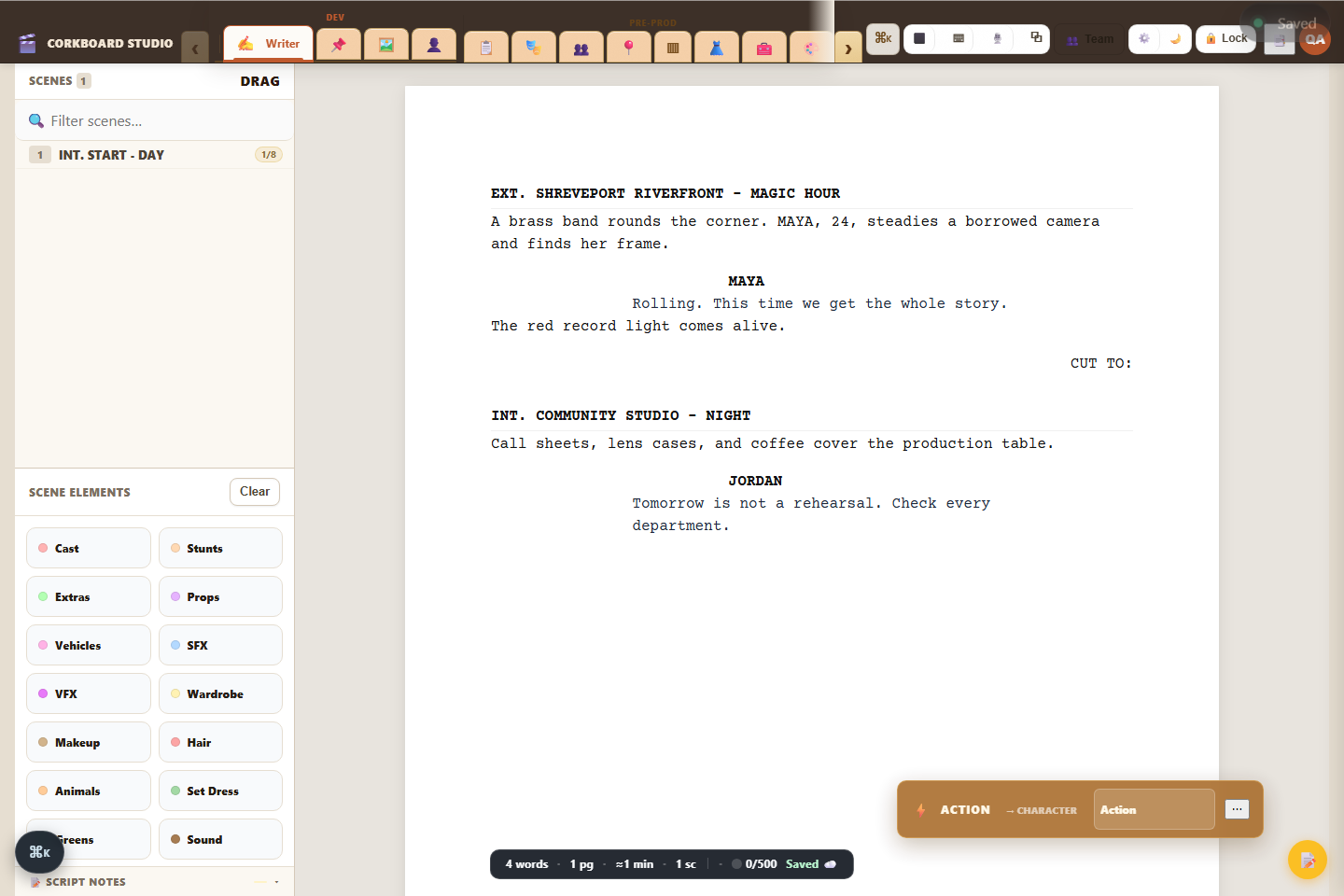
Draft, format, tag, revise, import, and export. Scene information can move into breakdowns and department planning when the script is ready.
A production system, not a stack of disconnected forms
Script data moves forward. Scene tags inform departments. Schedules feed production. Production records support reports and delivery.
Writer, Beats, characters, notes, revisions, and script import or export.
Breakdowns, boards, shots, schedules, casting, locations, budget, and Gear House.
Call sheets, continuity, safety, media, team coordination, and Production Command.
Cutting Room, AudioForge, VFX tracking, reports, rights, and delivery planning.
Funding resources, festival strategy, campaign planning, and project archives.
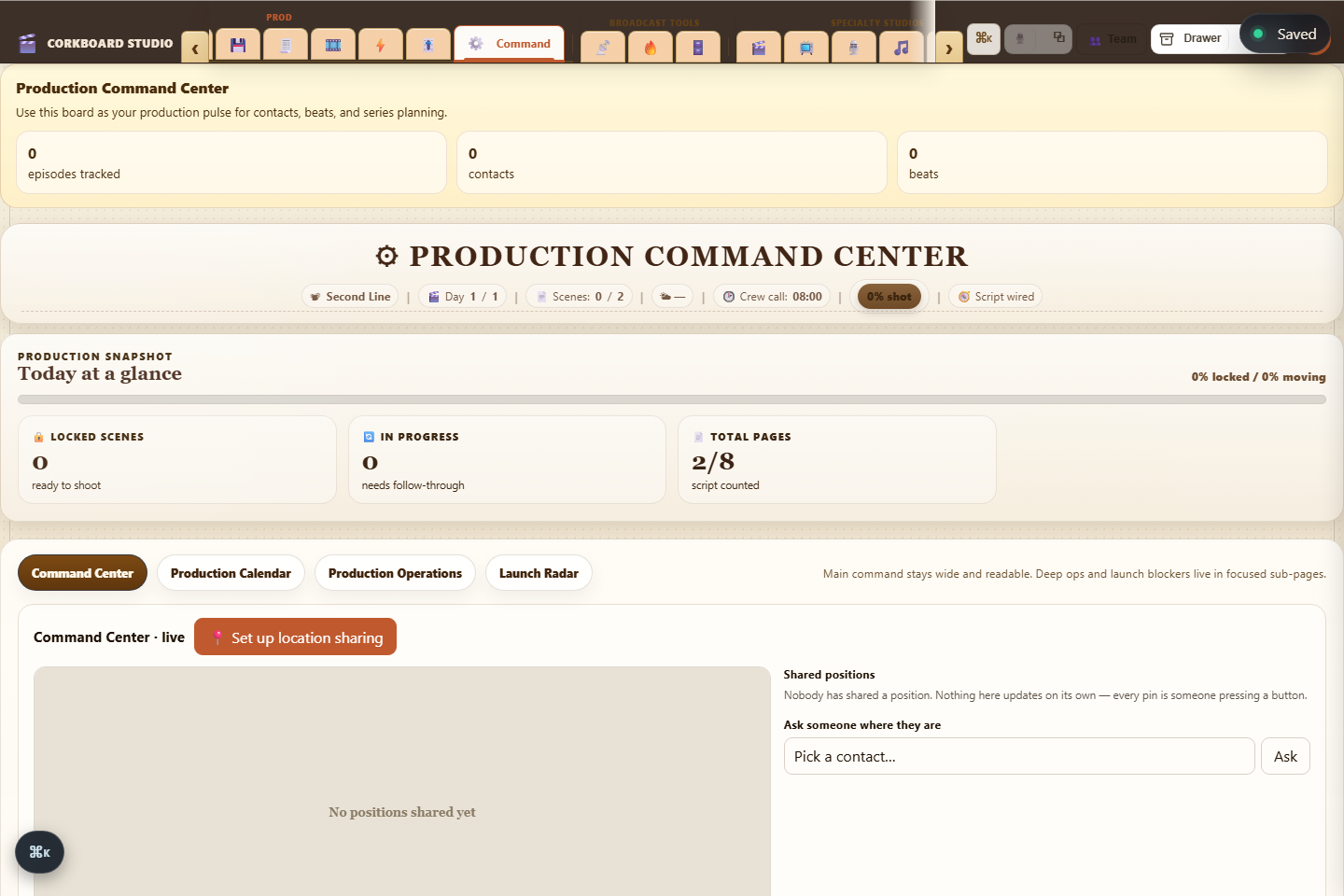
Production Command Center
Bring schedules, crew, scenes, risks, calendar events, operations, and launch blockers into one operational view.
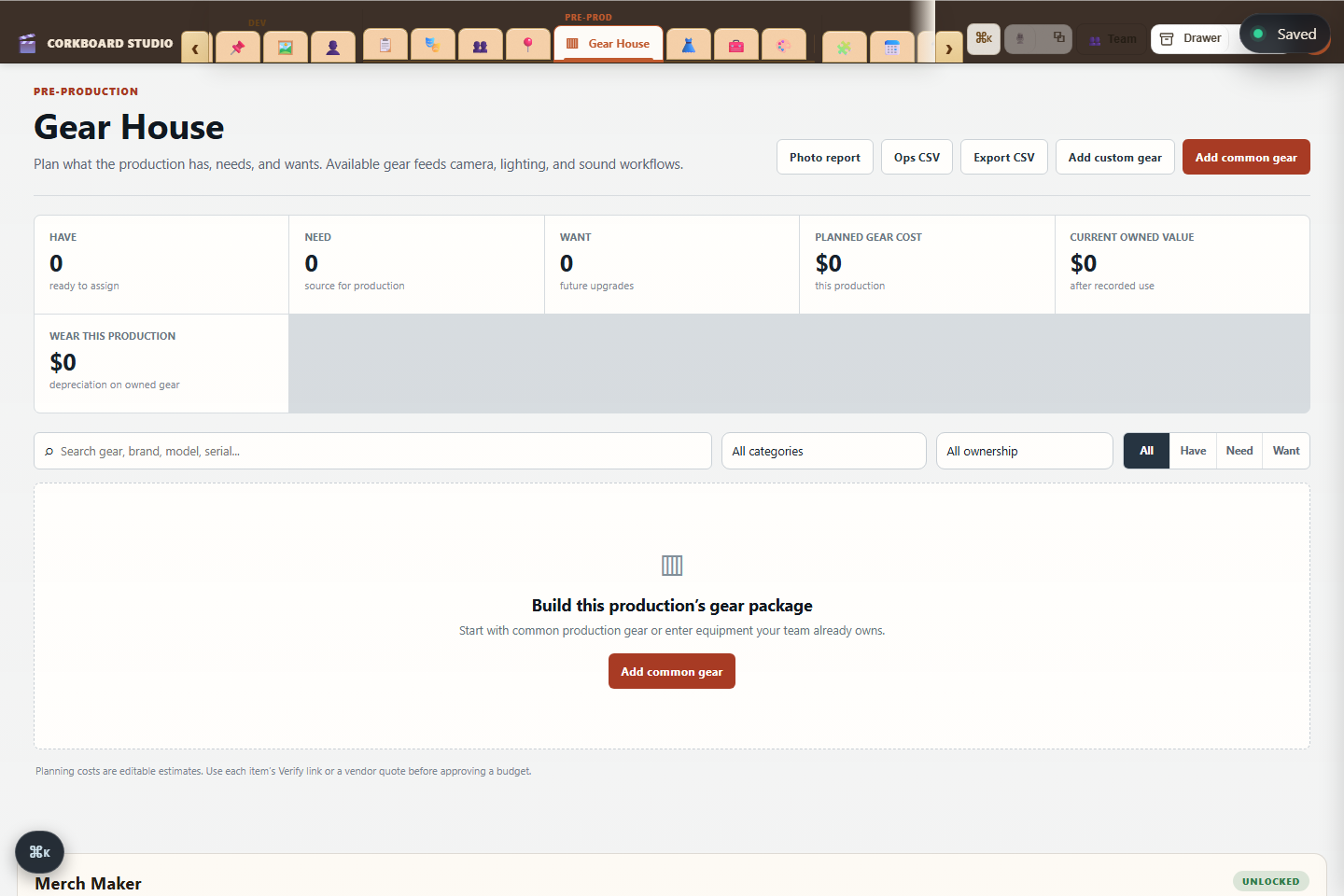
Gear House
Build a reusable camera, lens, grip, lighting, sound, and support inventory. Mark what you have, need, or want, track ownership, estimate cost and depreciation, and make that gear available to connected workflows.
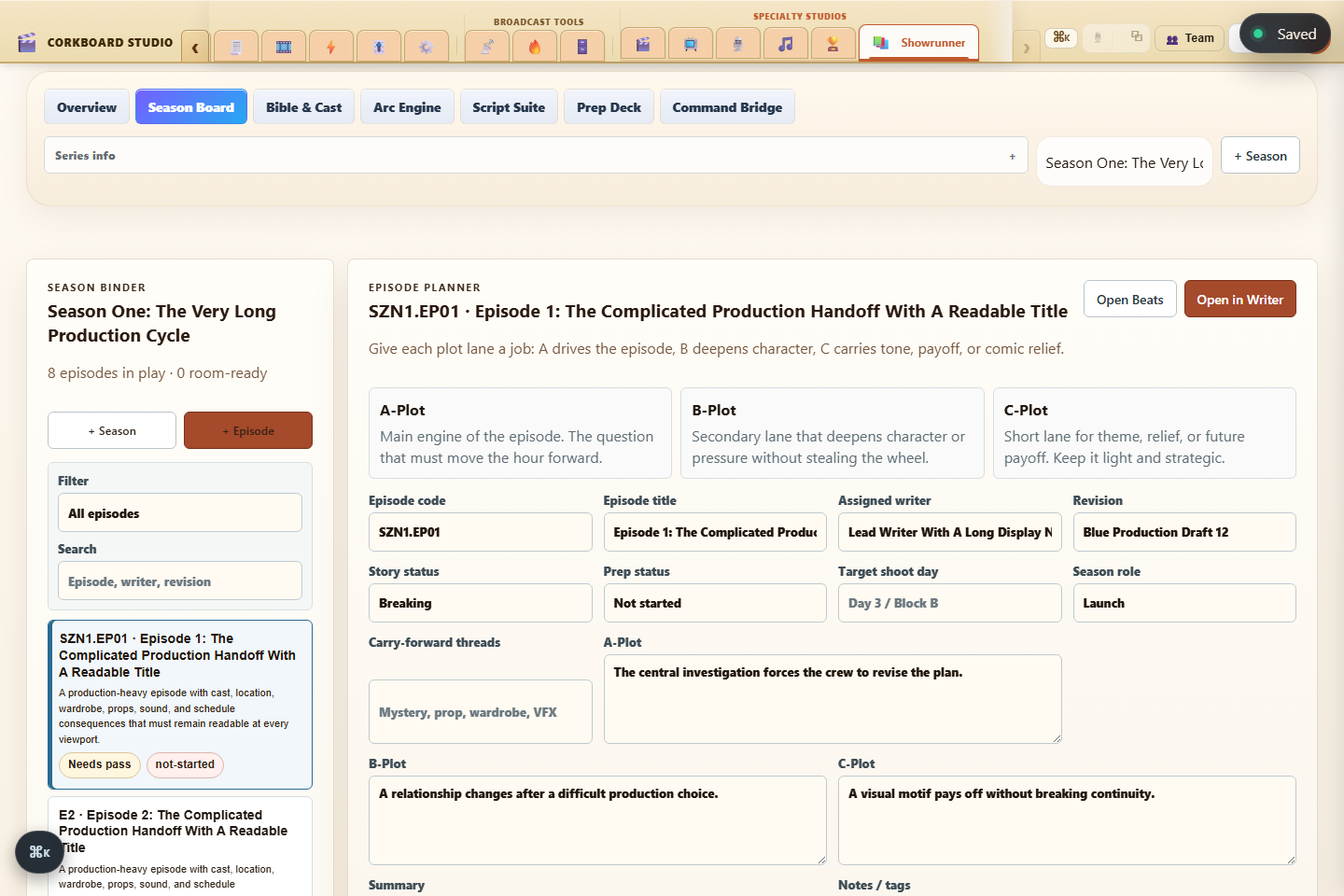
Showrunner Studio
Plan episodes, plot lanes, writers, revisions, season arcs, cast, continuity, and prep status in one focused series workspace. Episode scripts stay connected to Writer and hand off to the same production departments as every other Corkboard project.
Built around real production contexts
Corkboard keeps one production model underneath, then brings forward the controls each kind of team needs.
Move a short, feature, documentary, commercial, music video, podcast, or festival project from development through delivery without rebuilding the same information in separate tools.
Connect structured lessons and assignments to the same Writer, planning, crew, safety, equipment, and reporting tools students use for production.
Build rundowns, scripts, teleprompter copy, graphics, asset libraries, and bridge-ready show records for studio and classroom production.
Different formats need different rooms
Open the tools that match the work while keeping the same project, people, scenes, assets, and schedule underneath.
Research, interviews, evidence, releases, story threads, and documentary field planning.
Episodes, season arcs, continuity, characters, episode scripts, and showrunner planning.
Episodes, guests, rundowns, recording, publishing, and spatial studio planning.
Track structure, treatment, visual beats, performance sections, and production timing.
Lighting plans, visual blueprints, blocking, set dressing, props, and future scan imports.
Rundown, teleprompter, GraphicFire, Graphic Store, asset links, and hardware bridge planning.
Live production
Segments, timing, scripts, page locks, on-air mode, teleprompter, chat, and print.
Design graphics, combine imported PNG layers, create templates, and save finished assets.
Manage approved graphics, variants, metadata, ownership, search, and rundown links.
Prepare outputs and device workflows for classroom broadcast systems and Blackmagic hardware.
New in this release
Catering, travel and the make-up chair are where days actually go wrong. They are now first-class in the workspace, and they read from work you have already done.
Head count comes from the scenes scheduled that day and the crew you have confirmed — not a number you keep in your head.
Dietary tags and allergies live on the person, so they follow them to the next job. The day flags a meal penalty before it costs you one, and nearby places to eat come from OpenStreetMap, no account required.
Arrivals are checked against that day’s call time, so a flight that lands after the crew is due is a warning, not a phone call at 5am.
Every total writes one reconciling line into the budget, tagged to its department.
Chair times are worked back from the shooting call and the longest application on the day, so the schedule tells you when the first artist starts.
Reads the same allergy field as catering — latex, adhesives and dye are on the record before anyone opens a kit.
Corkboard University
CBU connects structured courses, lessons, assignments, labs, mastery checks, journals, and progress tracking to the same tools students use to make their films.
Clear modules, practical assignments, filmmaking references, progress, and project-based learning.
Class rosters, education grants, submissions, review workflows, deadlines, and cohort visibility.
CBU is currently a separate beta program and is not included in self-serve app subscriptions.
Ask about Corkboard UniversityPlans that follow the size of your work
Every new account receives a 7-day Studio trial with no card required. Choose monthly or annual billing when you are ready.
Prices exclude applicable sales tax. Cancel any time; access continues through the paid period. Some features remain in active beta. Corkboard University is enrolled separately.
The useful questions
No. A new eligible account starts with seven days of Studio access without a card.
Yes. Your project data remains with your account. Access to plan-specific tools changes with the active plan.
Yes. The app includes responsive writer, project, department, education, and specialty workflows for mobile and tablet use.
No. CBU is a separately enrolled beta education program with its own class and instructor workflows.
Yes. Team features support project invitations, roles, assignments, comments, shared production data, and presence.
Your next production can start here